
Akinator
Elokence SASEntertainment
4.7139.04K Reviews
- Version
- 9.1.16
- Installs
- 100.00M
- Age Rating
- Teen
Screenshots
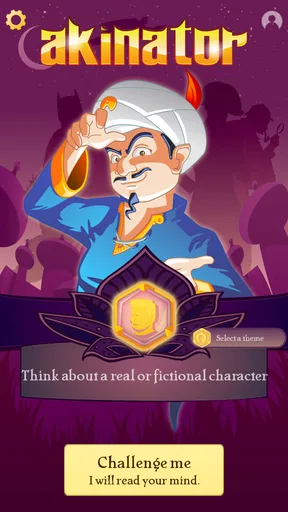
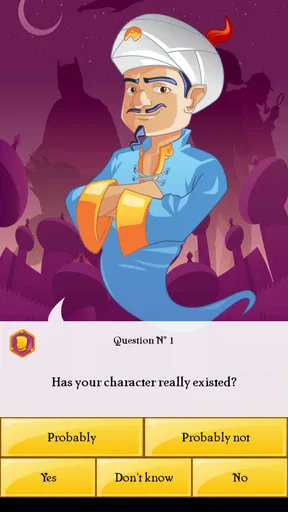
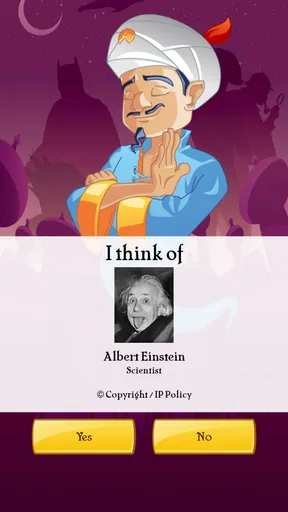
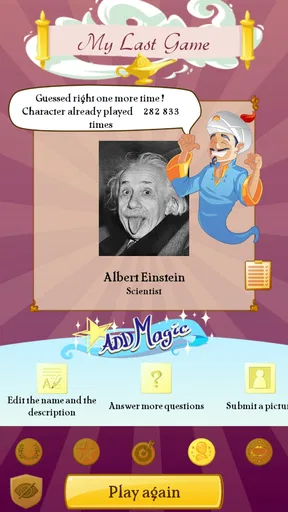
Our Review of Akinator
 Analysis by Appyee
I find Akinator works best when I treat it as a quick social guessing game rather than a serious test of what an app can know. It asks questions about a character you have in mind, and the fun comes from watching the clues narrow the field. When it lands on an unexpected answer, the moment can feel uncanny; when it misses, figuring out why is part of the entertainment. That mix makes it easy to bring out with friends, but a few habits can also prevent frustrating rounds.
Where a round can go off track
The most common sticking point is choosing a character who is too vague to identify consistently. “A famous wizard” could describe many people, while a particular named character gives the questions a clearer target. I try to settle on one person or fictional character before starting, rather than changing my mind as the questions arrive. If I keep switching between interpretations, my answers stop describing one subject and the final guess becomes less meaningful.
Questions can also feel awkward when the character does not fit a simple yes-or-no description. A question about whether someone is human, for example, may be easy for one character and debatable for another. I answer based on the version I actually have in mind, not on a possible alternate interpretation. If I genuinely cannot tell, using an uncertain answer is better than forcing a confident yes or no and sending the round down the wrong path.
That distinction matters with characters who appear in different adaptations, have changing roles, or are known by more than one name. I pick one recognizable version and stick with it. Akinator is guessing from the clues I provide, so an inconsistent target can look like a weak guess even when the real issue is that I have changed what I mean halfway through.
Simple checks before you start
I get the cleanest result when I decide on the answer first and keep it in mind throughout the questions. It sounds obvious, but in a group people often start proposing candidates aloud, which can nudge the person holding the phone toward a different character. For a fair challenge, one person should choose the target while the others avoid offering hints until the round is over.
If the app seems to be having trouble, I first check the basics: whether it has finished opening, whether the screen responds normally, and whether the device has a working connection if the current session needs one. I avoid tapping several answers quickly when a question appears slow to react. A short pause helps distinguish a temporary delay from a missed tap, and it reduces the chance of recording an answer I did not intend.
My most useful setup tip is to make the first round easy to describe. Pick a familiar character with clear traits, then try a more obscure one after you understand how the questions feel. This gives new players a useful baseline: if a well-known target is guessed, they can focus on making their next choice harder rather than wondering whether they misunderstood the format.
Making the guessing game work for you
I focus on the small choices that make a round feel fair and fun: settling on one clearly defined character, answering from the same version throughout, and pausing rather than rushing a tap when a question seems slow. Those habits matter more than trying to pick an impossibly obscure target. Next, I look at what to do after a guess misses, so a wrong answer can become a useful clue instead of a reason to abandon the game.
Recovering when the guess seems wrong
If the genie proposes the wrong character, I do not immediately assume the whole round is lost. I check whether I may have interpreted a question differently from how it was intended, especially when the answer involved a broad trait or a complicated backstory. If the app offers a way to indicate that the guess is incorrect and continue, I use that path rather than restarting automatically. The questions that follow may help clarify whether the target was close to another character or whether my earlier answers sent the search elsewhere.
For a better second attempt, I keep the same target but answer more consistently. I also avoid giving a new round a nearly identical character immediately after a miss: switching to someone with clearer, distinct traits makes it easier to see whether the earlier problem was my answers or an unusually obscure choice. That is a practical way to learn the rhythm without turning every mistake into a long troubleshooting session.
When the app may not be the problem
Akinator is a poor fit for every kind of mystery. If the subject is a private person, an original character no one else knows, or a description rather than a specific character, the guessing format has little to work with. The same goes for a character whose identity depends on a niche detail that is difficult to express through the questions. In those cases, I would switch to a conversation, a search, or a conventional trivia game instead of expecting the genie to resolve an ambiguous target.
It is also worth separating a clever guess from proof that the app can read thoughts. The experience feels uncanny because a sequence of narrowing questions can make the final answer seem personal, but the player is supplying the clues. I enjoy the illusion without treating it as magic or as a reliable way to identify anything outside the game’s character-guessing premise.
How it compares with other ways to pass the time
Compared with ordinary trivia, this is more interactive: the player chooses the subject, and the questions build around that choice instead of testing a fixed set of facts. Compared with a simple guessing game among friends, it removes the need for one person to invent and judge every question. That makes it handy when a group wants a quick activity but no one wants to host. On the other hand, a face-to-face guessing game gives people more room to ask unusual questions and adapt to a strange answer, so it can be better for characters that do not fit the app’s question flow.
I also see it as different from a search engine. Search is the better choice when I want a dependable fact, a character’s name, or an explanation; Akinator is better when I already have a character in mind and want to see whether the questioning can reach it. The point is not to replace research. It is to turn a spare moment into a small challenge, especially when everyone agrees that an incorrect guess is still funny.
A realistic way to use it with friends
On a quiet commute or while waiting for food, I can choose a character from a film everyone in the group knows and let the others answer the questions together. A familiar first choice gets people comfortable with the format. Then I can pick someone less obvious from a book or show and see whether the group can keep its answers consistent. The useful social rule is to discuss each question briefly before tapping, but not to introduce new clues that were not asked for. That keeps the game collaborative without giving away the answer.
For solo use, the same approach works as a short break: I choose one character, answer carefully, and stop after a round or two if I am only trying to fill a few minutes. It is not the kind of app I would open for a deep story or a long, structured gaming session. Its appeal is that the setup is light and the challenge is immediately understandable.
Who will enjoy it, and who may want something else
I would recommend it to people who enjoy pop-culture challenges, casual competition, and watching a group debate whether a character counts as famous, fictional, or human. It is particularly suitable for mixed-age gatherings where players can take turns choosing characters, though its content rating is Teen, so families should use their own judgment about whether it suits younger players. Anyone expecting a serious knowledge tool, a traditional quiz with a fixed score, or a way to identify a real person should choose something else.
There is also a difference between liking quick repetition and wanting lots of control. The central pleasure is the question-and-guess loop. If that loop stops being amusing, the app may not offer the variety someone wants from a broader entertainment app. I would try it when the idea itself sounds fun, not because a large audience automatically means it will fit every player.
What the app offers and what to expect
Elokence SAS makes this free entertainment app, which has a 4.7 average from around 4.9 million ratings and more than 100 million installs. It is available for Android and iOS, is rated Teen, and its current version is 9.0.19. The app first appeared on March 21, 2012, and the listed minimum Android requirement is 7.0. Those details make it an established option for the guessing-game format, but they do not change the basic advice: the experience depends heavily on choosing a clear target and answering honestly.
The app is free to download, with in-app purchases priced from $0.99 to $9.99 per item. I would begin with the free experience and decide whether the core guessing loop is enough for me before considering any purchase. That is a sensible approach for a game whose enjoyment comes mainly from the interaction itself, rather than from needing to buy something before the central idea makes sense.
My practical verdict
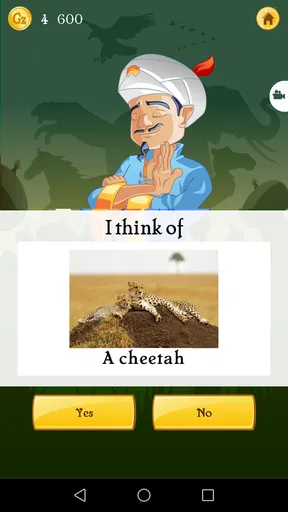
So, here's the deal. Akinator is this quirky genie that lives in your phone, and his claim to fame is guessing any character you're thinking of. Sounds a bit out there, right? But trust me, it's oddly satisfying. You just think of a character, real or fictitious, and Akinator will ask you a series of questions to narrow down the possibilities. Before you know it, he’s got the answer. It’s like having a mind reader in your pocket!
How Does Akinator Work?
The process is pretty straightforward. Once you fire up the app, Akinator will greet you with a friendly "Hello" and ask you to think of a character. No spoilers or hints from your side; just keep the character firmly in your mind. The genie will then proceed to ask you a series of questions. These questions are designed to help the app filter through its vast database of characters. The more you answer, the closer Akinator gets to guessing your character.
What’s fascinating is the app’s ability to learn from every interaction. The more you play, the smarter it gets. It's like training a brainy sidekick!
Features That Make It Stand Out
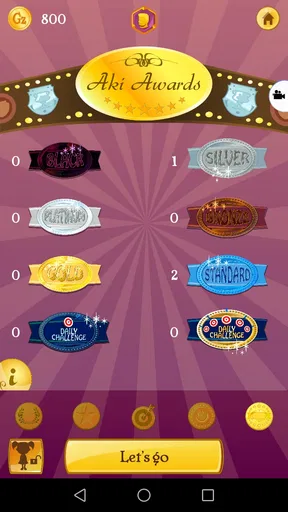
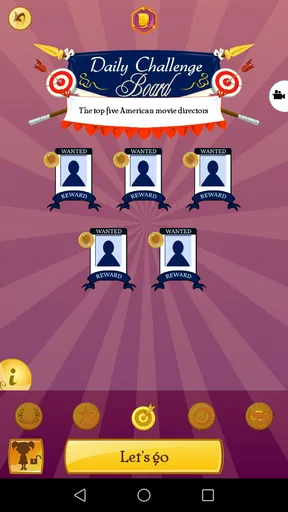
One of the coolest features is the ability to earn points and unlock achievements. You get to see how skilled you are at stumping Akinator, and you can compare your prowess with friends. There’s also a leaderboard, which adds a bit of competitive spirit to the mix.
Another neat aspect is the "Hall of Fame," where you can save your favorite characters and revisit them anytime. This is especially handy if you have a knack for thinking of obscure characters that Akinator might not have guessed right away.
User Experience
Using the app is smooth and intuitive. The interface is clean, with bright colors that keep the experience lively. The questions are straightforward, and the whole process is fast. You’re not left hanging, wondering if Akinator will ever guess your character. Plus, the animations and sound effects add a whimsical touch, making the whole experience feel like a fun game.
And let’s talk about accessibility. Akinator is available on both Android and iOS, so no matter your device, you’re covered. It’s perfect for killing time on a commute or just having a laugh with friends.
Is It Worth Downloading?
I’d say yes, especially if you enjoy a good guessing game. Akinator offers a unique experience that combines entertainment and a bit of mystery. It’s not just about guessing; it’s about seeing how well you can outsmart a digital genie. Plus, it’s a great conversation starter, and you'll often find yourself saying, "I bet Akinator can't guess this one!"
So, if you’re looking for something fun and different, give Akinator a try. It’ll surprise you, entertain you, and who knows? You might even learn a thing or two about some obscure characters! Don’t just take my word for it; download it and see if you can stump the genie.
Verdict
Strengths of Akinator
- Engaging and fun gameplay experience.
- Simple, user-friendly interface.
- Wide range of character database.
- Frequent updates with new content.
- Works offline for uninterrupted play.
Limitations of Akinator
- Contains ads that can be intrusive.
- Limited free daily plays.
- In-app purchases can be pricey.
- Some answers can be repetitive.
- Requires internet for full features.
Other Releases by Elokence SAS
View All
Akinator VIP
Entertainment4.6
Similar Picks in This Category
View All
Google Play Games
Google LLC3.9

Netflix
Netflix, Inc.4.8

YouTube Kids
Google LLC4.2

Disney+
Disney4.4

Prime Video
Amazon Mobile LLC4.7

Steam
Valve Corporation3.2
Frequently Asked Questions
What is Akinator and how does it work?
Akinator is a virtual genie that can guess the character you are thinking of by asking a series of questions. Using an advanced algorithm and a vast database, Akinator narrows down possibilities based on your responses. It's a fun and engaging app that tests the limits of its AI capabilities.
Is Akinator free to use on Android and iOS?
Akinator offers a free version with basic features on both Android and iOS platforms. However, it includes in-app purchases and ads. Users can opt for the premium version to enjoy an ad-free experience and access additional features like more character guesses and customization options.
Does Akinator require an internet connection to function?
Yes, Akinator requires an internet connection to function properly. This is because the app needs to access its extensive online database to accurately guess the characters you are thinking of. Offline play is not supported, so be sure to have a stable connection when using the app.
What age group is Akinator suitable for?
Akinator is generally suitable for users of all ages, as it features a user-friendly interface and a wide range of characters, including fictional and real-life figures. However, parental guidance is recommended for younger children due to in-app ads and the possibility of encountering mature content.
Can I customize Akinator or add my own characters?
Yes, in the premium version of Akinator, users can customize their experience by creating their own character profiles and adding them to the database. This feature allows for more personalized gameplay and enhances the app’s replayability by introducing new challenges.
